Signing in and out
What this screen is for
The Sign in screen proves who you are. Everything you do in the app is recorded under your name, so every person signs in with their own account.
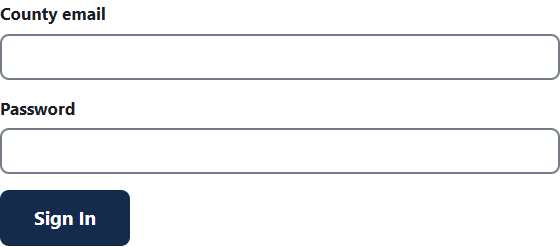
How to sign in
- Open the app's web address in your browser.
- Type your county email in the County email box. Capital letters and extra spaces do not matter.
- Type your password in the Password box.
- Press Sign In.
If your county uses Microsoft sign-in, the page says "Sign in with your county Microsoft account" instead. Follow the Microsoft steps.
If you are asked for a code
Some accounts need a second step. After your password, the Enter your code screen appears.
- Open the authenticator app on your phone.
- Find the 6-digit number for PGFD Tracker.
- Type it in the 6-digit code box.
- Press Sign In.
The number changes every 30 seconds or so. If it does not work, wait for the next number and try again.
If you lost your phone
- On the Enter your code screen, press Lost your phone? Use a recovery code.
- Type one of your saved recovery codes in the Recovery code box.
- Press Sign In.
Each recovery code works only once. If you have no codes left, ask a BA Shop admin to reset your sign-in steps.
If an admin gave you a temporary password
After you sign in, the app asks you to choose your own password. See Changing your password. You may then be asked to set up an authenticator app. See Setting up your authenticator app.
A temporary password stops working after 72 hours (3 days). Ask a BA Shop admin for a new one if it has expired.
How to sign out
- Press Sign out at the top right of any page.
- On the next screen, press Sign Out to confirm.
Always sign out on a shared computer.
When the app signs you out for you
- After about 30 minutes with no activity.
- After 12 hours, even if you were busy.
- Within a minute of an admin turning off your account.
The "No access" page
If you see No access, you are signed in, but your role does not allow that page. Go back, or press the PGFD badge to go home. If you think you should have access, ask a BA Shop admin.
If something goes wrong
- "That email and password don't match." Check both and try again. Make sure Caps Lock is off.
- "This account is locked for 15 minutes after too many tries." After 5 wrong tries the account rests for 15 minutes. Wait, or ask a BA Shop admin to unlock it.
- "This account is turned off." Ask a BA Shop admin to turn it back on.
- "Your temporary password has expired." Ask a BA Shop admin for a new one.
- "That code didn't work." Check the 6-digit number in your app. Make sure your phone's clock is set to automatic.
- If you cannot fix it, ask a BA Shop admin.