Demo sign-in
What this screen is for
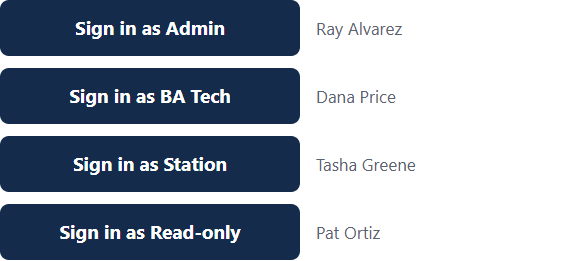
The Demo sign-in screen lets someone show the app the way each kind of person sees it. It has one button for each role. You do not need a password.
This screen exists only on a developer's computer, for demonstrations. It does not exist on the real site. A banner at the top of every page tells you when the demo is on.
How to use it
- Open the Demo sign-in page.
- Press the button for the role you want to show: Sign in as Admin, Sign in as BA Tech, Sign in as Station or Sign in as Read-only.
- Look around. The pages and menu show only what that role may use.
- To switch roles, press Sign out, then come back to this page and pick another.
The names on the buttons are made-up people, not real accounts.
If something goes wrong
- The page is not found. The demo is turned off. This is normal on the real site.
- "The demo accounts don't exist yet." The demo data has not been created. Ask whoever set up the computer.
- "That demo account is turned off." Turn the account back on in Users, or ask whoever set up the computer.
- "Pick one of the four roles shown below." Press one of the role buttons.